

Coviu
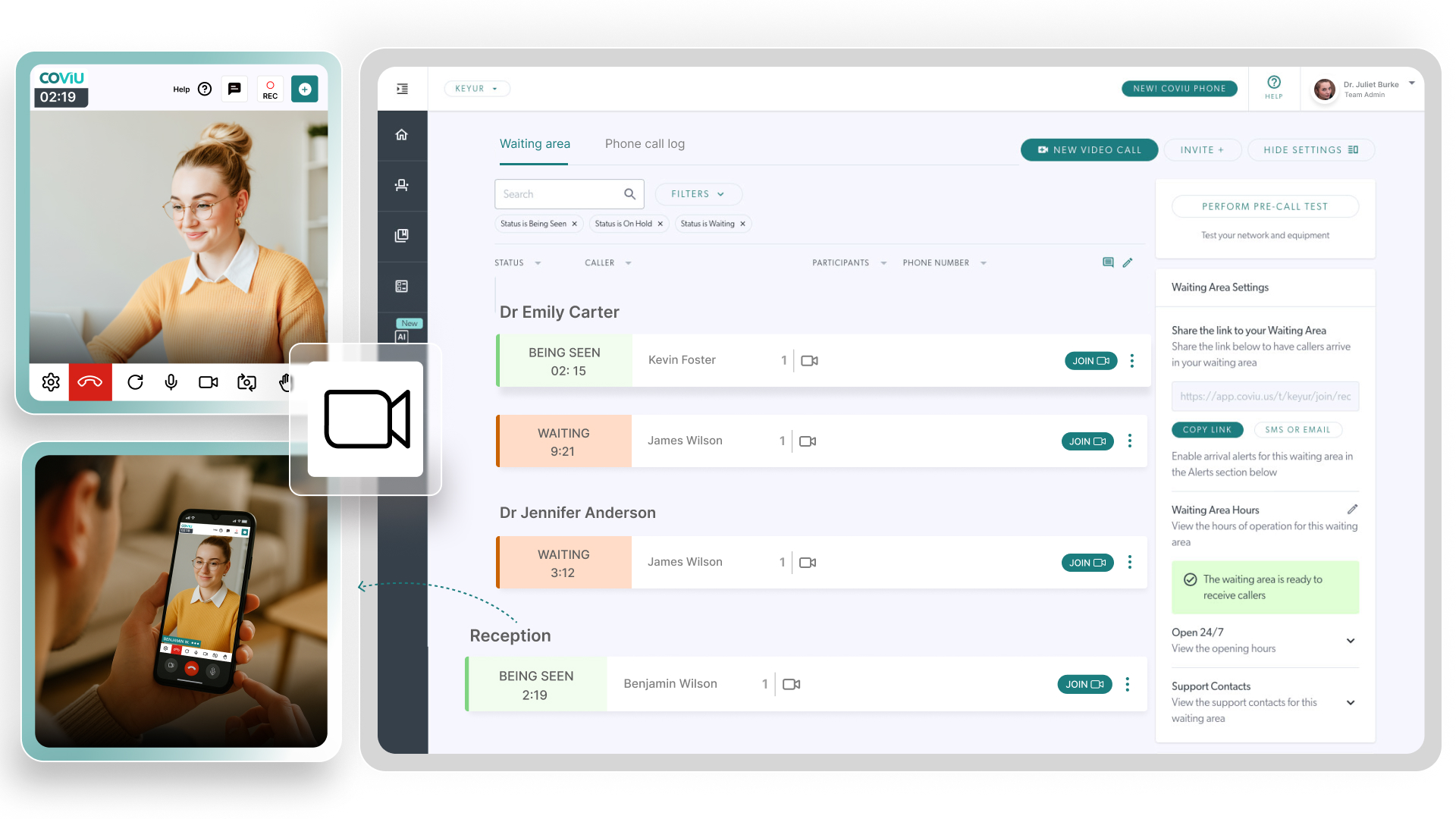
Coviu is a browser-based video consultation platform built for healthcare. When integrated with MediRecords, booking a telehealth appointment automatically sends a session link to your patient. The appointment manages scheduling, invites and reminders, all inside your existing workflow.
Coviu lets you run video and phone consults from inside MediRecords. Simplify telehealth for your team and deliver care where your patients are.
Meet your patients where they are.
Telehealth often requires scheduling outside systems, manual link sharing, and extra admin for reminders and follow-ups. These steps can delay patient care or create confusion.
With Coviu integrated into MediRecords, you schedule and manage telehealth appointments as you would in-person visits. Patients receive their session links automatically. The system tracks the booking and consult in one place, reducing admin burden and improving convenience for both staff and patients.
Streamlined virtual consults
Create telehealth appointments inside MediRecords and patient links are handled automatically. No extra portals or manual invitations required.
Flexible delivery via video or phone
Coviu lets you support both video calls and phone-based telehealth. This makes care accessible even when patients lack strong internet or prefer phone consults
Secure, browser-based platform
Patients join sessions via a secure browser link. There is no need for them to download software or create accounts. This simplifies access and reduces barriers.
Works within your existing workflow
Because Coviu connects with MediRecords, booking, scheduling and documentation stay unified. This keeps your admin load low and reduces chances of dropping information across systems.
"Coviu changed my life and helps me provide better 1 on 1 care to my patients."
Dr XYZ
How it works
- Open MediRecords settings and go to Partner Products > Coviu Telehealth.
- Click Connect to Coviu, sign in with your Coviu credentials and authorise the integration.
- Configure which providers in your practice will use telehealth.
- In the Appointments settings, edit or create an appointment type and enable Telehealth. Save the changes!
- MediRecords automatically generates a Coviu session link and sends it to the patient via the usual invitation process.
- The patient clicks the link and joins the video or phone consult through their browser. No download or extra login needed.

What's included
- Video and phone consultations through Coviu
- Simple browser-based access for patients
- Telehealth appointment scheduling inside MediRecords
- Automatic link generation and patient invitation
- Assignment of telehealth access to selected providers
Frequently asked questions
For more information, or for queries that are not answered here, please reach out to our Customer Success team.
Do patients need to download software to join a consult?
No. Patients join via their web browser and do not need to create extra accounts.
Can we offer phone consultations as well as video?
Yes. Coviu supports both video calls and phone-based telehealth sessions.
Will consults logged in Coviu show up in MediRecords?
The integration handles scheduling and linking of the appointment. The session invitation and booking live in MediRecords. However, notes or documents from the Coviu call do not automatically sync back to the record.
Who needs a Coviu account?
The practice must have an active Coviu subscription. Administrators set up telehealth providers and link the account in MediRecords.
Bring telehealth into your workflow.
Connect Coviu with MediRecords today and provide secure video or phone consultations with ease.

Latest posts by scottmacfarlane3 (see all)